
How to Top Up
1.Prerequisites (General requirements for Web3 platforms)
Assets are tightly bound to your wallet; you must complete the following preparations before making a deposit:
1. Prepare a compliant Web3 wallet
The platform relies on a decentralized asset system and exclusively supports integration with blockchain wallets. We recommend using mainstream wallets, such as the MetaMask browser extension or its mobile app version.
2. Basic Wallet Setup
After downloading and installing the wallet, create a new wallet and securely back up your recovery phrase (mnemonic) / private key. (If your private key or recovery phrase is exposed, your assets may be stolen; do not take screenshots, forward them to others, or store them in cloud-based photo galleries.)
Add the appropriate blockchain network as required by the platform. (If the specific blockchain is not explicitly stated on the official website, check the "Asset Marketplace" section on the site to confirm the network type before making a deposit.)
3. Preparing the Cryptocurrency for Deposit
The asset used for the deposit is the cryptocurrency USDT. You must first purchase this asset on a compliant digital currency exchange, then transfer it to your personal Web3 wallet.
4. Network Environment Requirements
Ensure that your network has unrestricted access to the global internet. We recommend using the Chrome or Edge browser (both support wallet extensions).
2.Complete Top-Up Procedure (Step-by-Step)
Step 1: Visit the official website and connect your Web3 wallet.
Open your browser and visit the official website: https://aigennext.ai/
Look at the top or top-right section of the page and locate the "Connect Wallet" button.
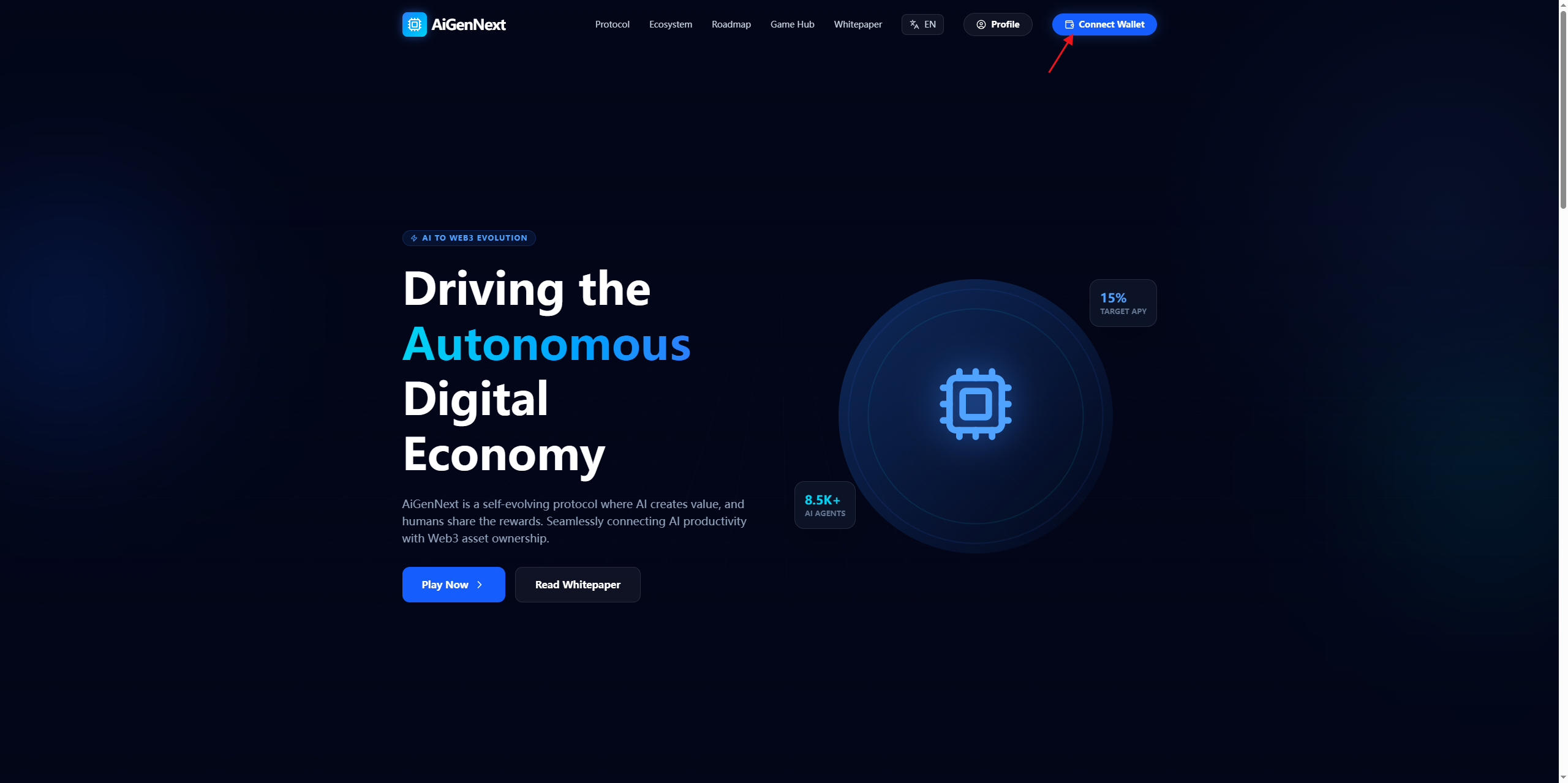
Click the button and select your installed wallet (such as MetaMask) from the list that appears.
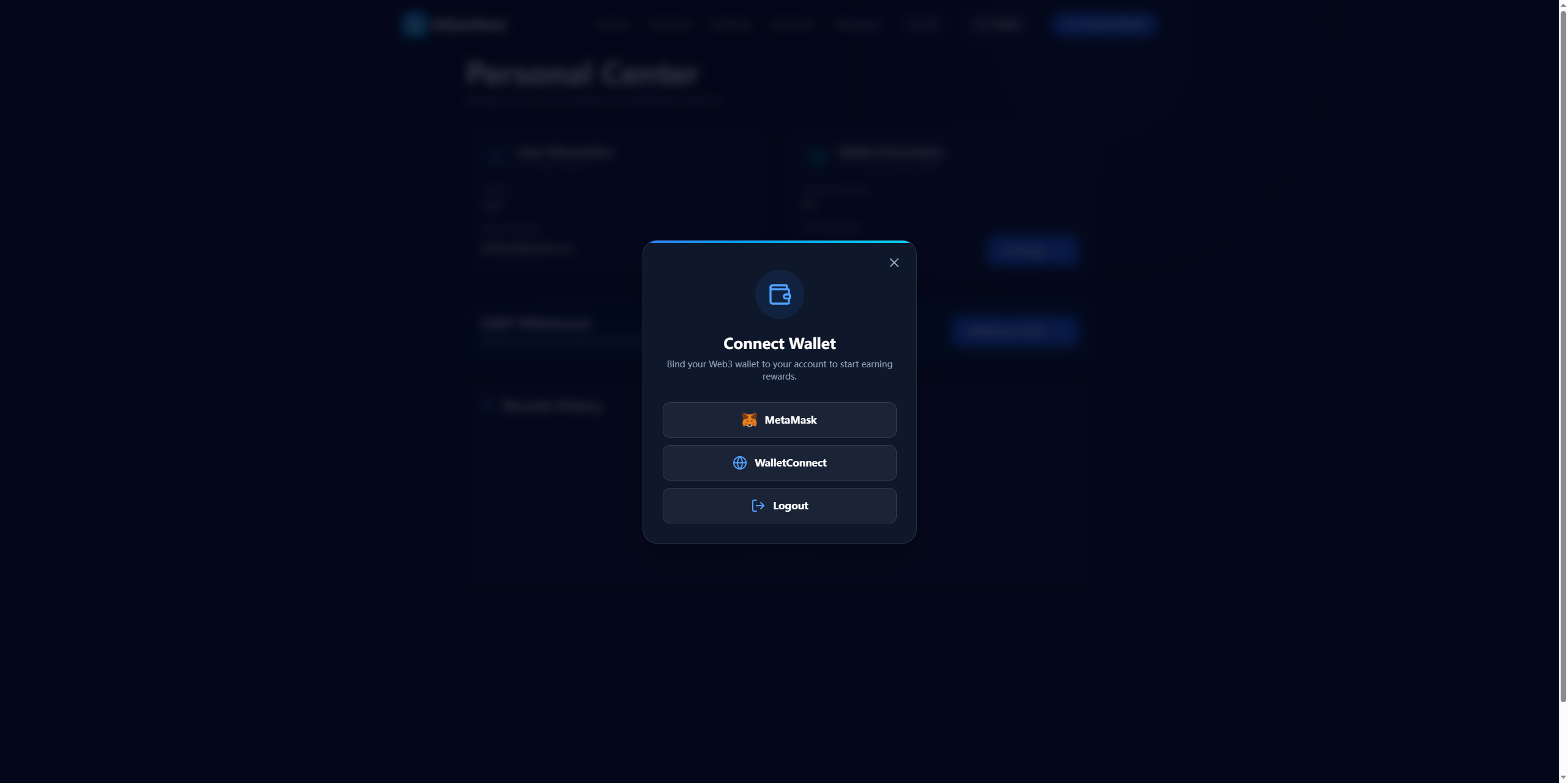
Proceed to the wallet authorization page and click "Confirm" or "Sign" to complete the linking of your wallet to the AiGennext platform.
"Note: Phase 1 of the platform focuses on "linking AI logic with Web3 wallets." Connecting your wallet is a prerequisite for using the platform, making deposits, and participating in the ecosystem; you will not be able to perform any asset-related operations without a connected wallet."
Step 2: Go to the Assets / Wallet Deposit page
Once your wallet is successfully connected, your wallet address will be displayed on the page. You can access the following sections via the navigation bar on the official website:
• Asset Marketplace: The primary hub for trading, depositing, and transferring decentralized assets on the platform.
• Wallet / My Assets: An overview page for your personal account assets.
• Game Hub: The entry point for participating in games and depositing funds to earn PoB (Proof of Burn/Participation) mining rewards.
Once you are on the asset page, click the "Deposit" button to navigate to the dedicated deposit page.
Step 3: Select the deposit currency and blockchain network
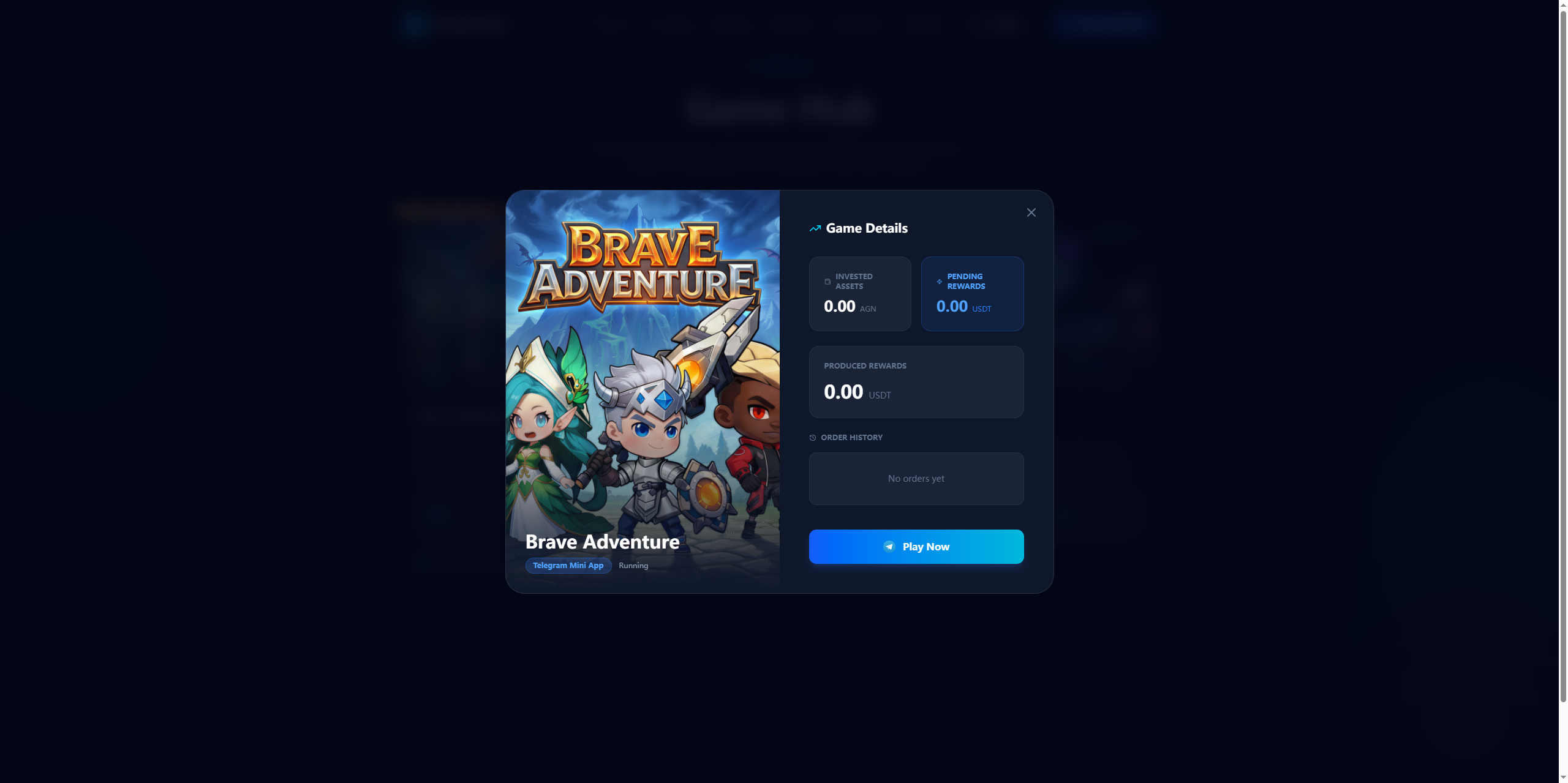
On the deposit page, use the drop-down menu to select the cryptocurrency you wish to deposit (USDT is the generally preferred choice; please refer to the platform’s list of supported assets).
Select the blockchain network (this is a critical step—choosing the wrong network will result in the loss of your assets):
Currently, only the BSC network is supported.
Ensure that the cryptocurrency in your wallet, the selected network, and the network supported by the platform for receiving deposits all match perfectly.
Once you have confirmed your selection, the system will automatically generate a unique deposit address for you (a blockchain address starting with "0x").
Step 4: Initiate a transfer from your personal Web3 wallet (the core deposit action)
Open the Web3 wallet (browser extension or app) where your assets are stored and navigate to the asset transfer page.
Paste the AiGennext platform deposit address you copied in the previous step (do not enter the address manually, to avoid potential errors).
Specify the deposit amount:
Check if the platform has a minimum deposit requirement (as none is specified on the official website, a small test transaction is recommended).
Ensure you set aside a small amount of tokens to cover on-chain gas fees (network/miner fees) so that the transaction can be successfully processed on the blockchain.
Triple-check the following details:
✅ The recipient address is correct.
✅ The token/currency type matches.
✅ The blockchain network is correct.
Once verified, confirm the transfer, complete the secondary signature within your wallet, and submit the transaction.
Step 5: Wait for on-chain confirmation & verify receipt of funds
Blockchain transfers require block confirmations:
ETH/Ethereum network: Typically arrives within 5–15 minutes; may take up to 30 minutes during periods of network congestion.
Public chains such as BSC/TRON: Fast arrival, typically ranging from a few seconds to 3 minutes.
Once a transaction has been submitted, you can track its progress via a blockchain explorer.
After the transaction shows "Block confirmation complete," return to the asset page on the official AiGennext website and refresh the page to view your account balance.
An updated balance indicates a successful deposit. You may then use these assets to participate in ecosystem features such as AI games, liquidity mining, and asset trading.
3. Post-Top-up Application (Integrated with the Platform Ecosystem)
According to platform rules, the primary purpose of deposited assets are to:
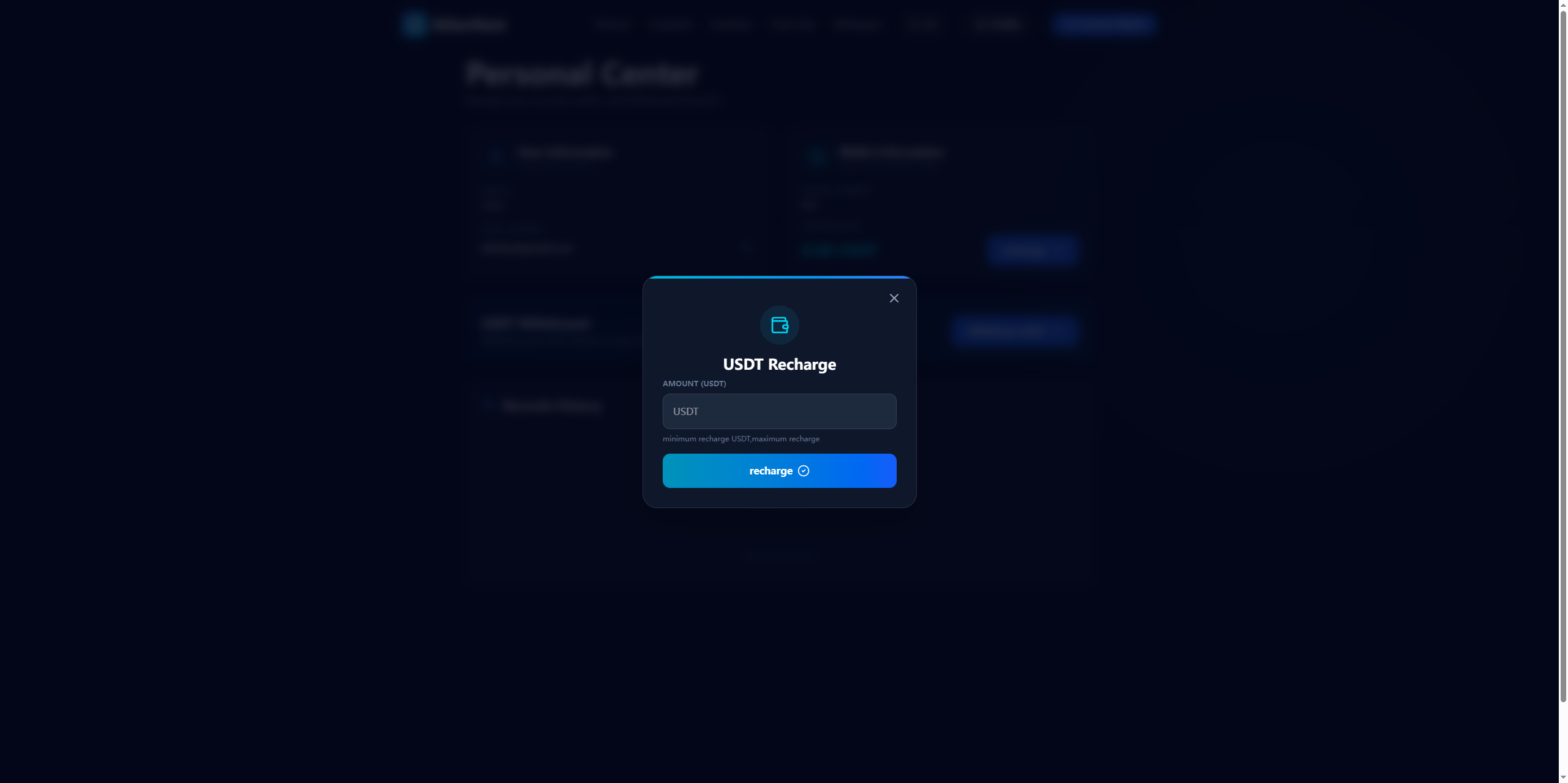
Participate in Game Mining: Access the Game Hub to experience AI-generated games—such as Brave Adventure (now live)—and complete Proof of Behavior (PoB) interactions to earn dynamic yields (with a target platform APY of 15%).
Asset Trading: Trade AI-generated IP, in-game assets, and platform governance tokens on the Asset Marketplace.
Ecosystem Participation: Support the operation of AI agents or serve as a community traffic node to earn a share of the platform’s ecosystem rewards.
4. Troubleshooting Common Issues (Top-up Failed / Funds Not Received)
Issue 1: Transfer successful, but balance not reflected on the platform
Wait for confirmation: The transaction may not have reached finality on the blockchain; please wait patiently during periods of network congestion.
Refresh the page: Clear your browser cache, reconnect your wallet, and refresh the asset page.
Verify the network: Ensure the network used for the transfer matches the network supported by the platform; assets sent via the wrong network cannot be recovered.
Issue 2: Wallet transfer submission failed
Check your balance: You may have insufficient funds for the withdrawal, or you may have failed to set aside enough for gas fees.
Switch network/node: The wallet node may be experiencing issues; try switching to a different RPC node within your wallet settings.
Verify the address: Ensure the recipient address is the official, legitimate address to avoid falling victim to phishing.
Issue 3: Unable to connect wallet
Browser compatibility: Try using Chrome or Edge, and consider reinstalling your wallet extension.
Disable interference: Turn off ad blockers or privacy-focused browser extensions that might be blocking wallet authorization.
Restart: Restart both your wallet application and your browser, then attempt to reconnect.
5. Safety Regulations and Prohibited Actions
Address Security
Obtain deposit addresses exclusively from the official website: https://aigennext.ai/. Any addresses provided via private messages, online communities, or third-party links are likely phishing attempts; do not use them under any circumstances.
Protection of Private Keys and Seed Phrases
The platform and its authorized customer support team will never request your private keys, seed phrases, or wallet verification codes. Any request for such information is a scam.
Small-Amount Testing Principle
For your first deposit, always use a very small amount to test the process and ensure it functions correctly before proceeding with further transactions.
No Third-Party Top-up Services
Do not trust individuals, online communities, or intermediaries offering "top-up" or "discounted exchange" services; these are highly likely to be scams designed to steal your funds.
Regional and Regulatory Notice
AiGennext complies with the regulatory policies of various countries and regions worldwide.
6. Customer Service and After-Sales Channels
Official Channels: Use official customer support or the official community (Telegram) to inquire about deposit-related issues.
Record Keeping: For all deposits, be sure to save the transaction hash, transfer screenshots, and the deposit address; you will need to provide these as proof to official customer support should any issues arise.
Important Note on Timing: Once an on-chain transfer has been processed and included in a block, it cannot be reversed or intercepted. Please double-check all details carefully before proceeding.